Rendered preview
A Markdown diff you can actually read
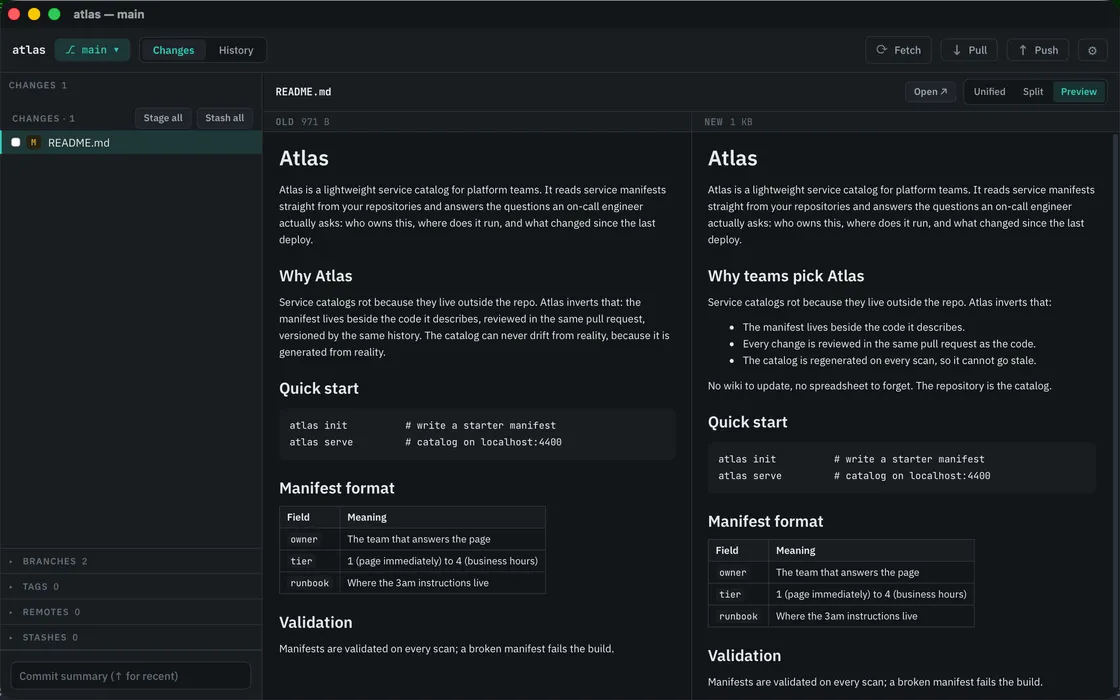
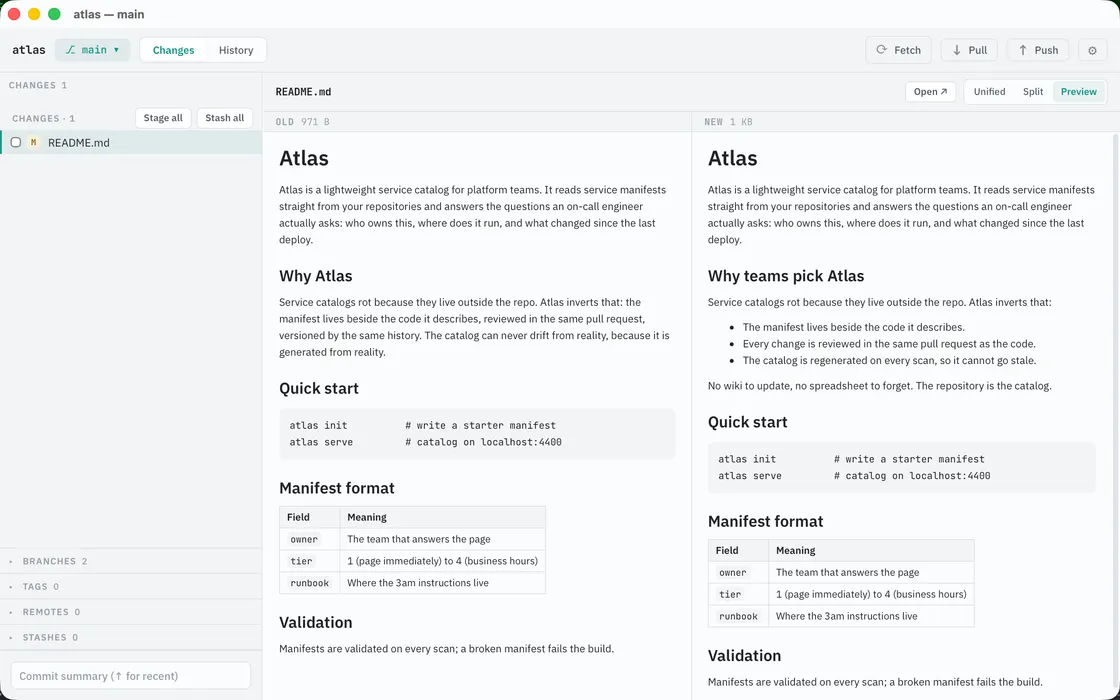
A line diff shows you what changed in the source. But Markdown is written to be read as a document, and a reworded paragraph in a line diff is a wall of red and green. Meridian renders the old version and the new version as documents, side by side, scrolling in sync.
Line diffs were built for code
Code changes line by line, so a line diff fits it. Prose doesn't: rewording a sentence rewraps the paragraph, and the diff marks the whole block changed. Move a section and the diff shows a deletion here and an addition there, with no hint they're the same text. The more a document changed, the less a line diff tells you, and agent-written READMEs, specs and plans change a lot.
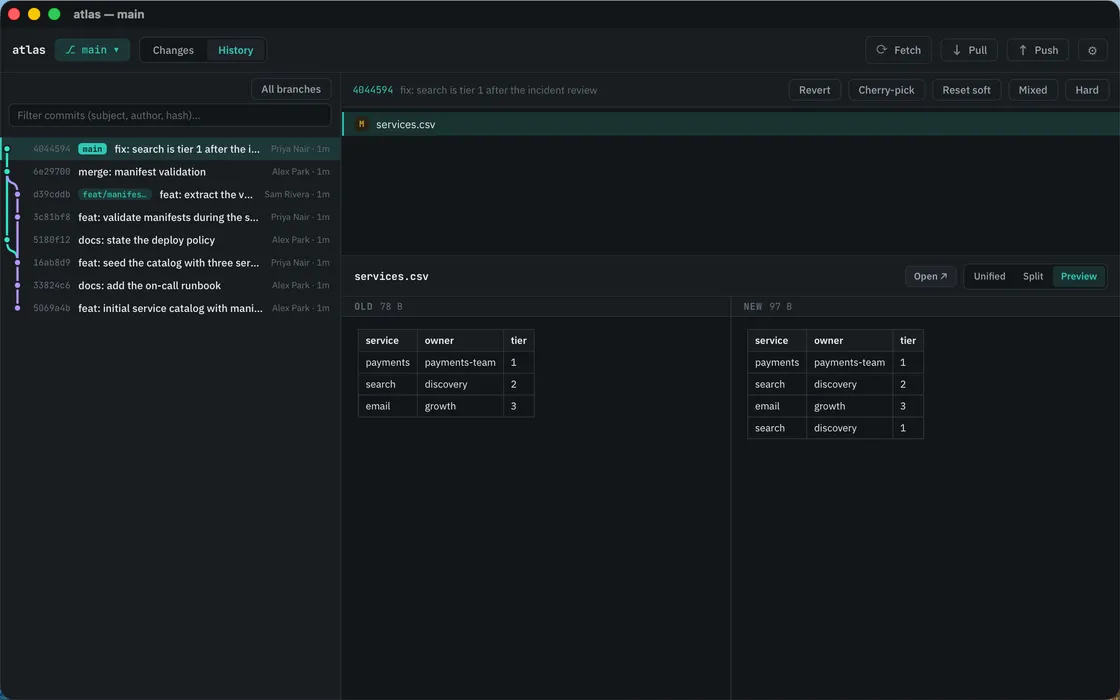
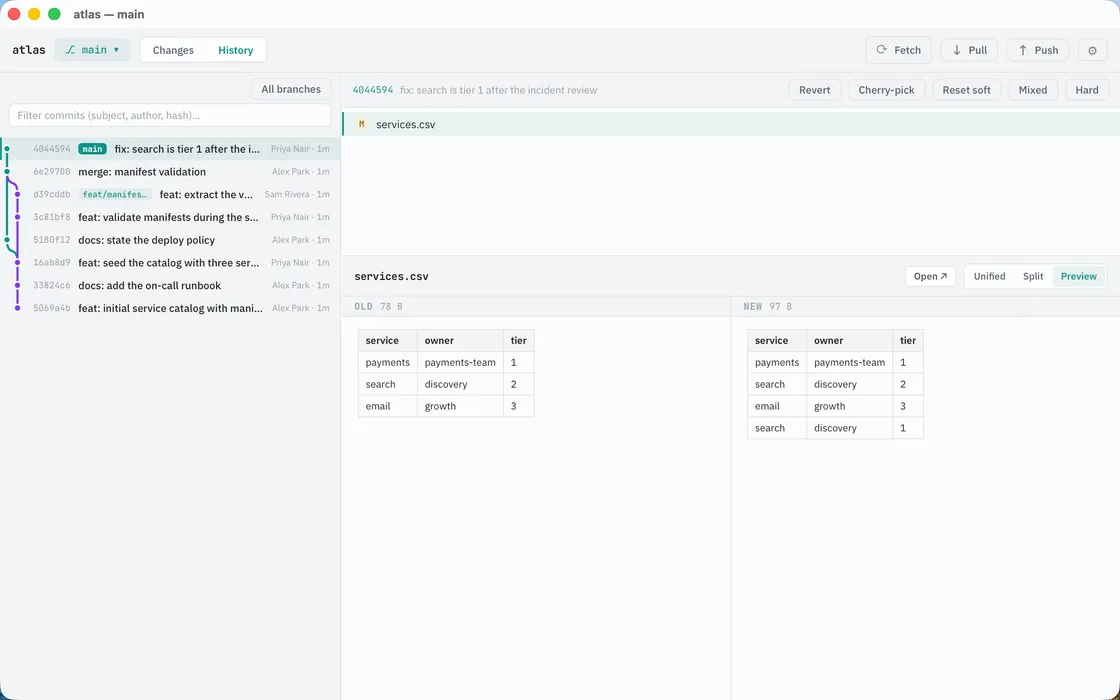
CSV as tables. JSON as structure. Images as images.
The same mode covers the other files a line diff mangles. CSV renders as two tables. JSON renders as formatted structure. Images render old beside new with byte size and pixel dimensions, instead of dead-ending at "Binary file". SVG renders as the picture it is, not as raw XML. No other Git GUI renders prose and data diffs as documents.
Other ways to diff a Markdown file
git diff --word-diff in the terminal marks changed words rather than whole lines, which is a real improvement for prose and free. VS Code renders Markdown diffs in the editor, if the editor is where you want to review. Online compare tools accept two pasted versions, with no git awareness and your text on someone's server.
What none of them give you is a rendered old-vs-new view inside a full git client: read the change as a document, then stage it, commit it, or stash it without switching tools. That combination is the point.
Still a real diff view underneath
- Three modes: unified, side-by-side and rendered preview. The toggle lives in the diff header and remembers your choice.
- Syntax highlighting and word-level change marks in the text modes, n/p to jump hunk to hunk.
- Rendered content is double-sanitized, and links open in your browser, never in the app.
- Meridian is a full Git client: stage by file or hunk, commit, branch, merge, resolve conflicts.
For the underlying command and its variants, see git diff, explained; for reviewing agent worktrees, see git worktrees, explained.
Read it as a document
A native Git client for the Mac. It opens straight from the terminal, renders Markdown, images and data as themselves, then lets you stage and commit.
Free 14-day trial | One licence, three Macs
Related: git diff, explained | Git worktrees, explained | Meridian, a native Git client for the Mac
Markdown diffs, answered
How do I see a Markdown diff in plain git?
git diff --word-diff marks changed words instead of whole lines, which helps with prose. It is still the source, not the document: headings, lists and links stay as syntax. Rendering the old and new versions side by side is what a line diff cannot do.
What file formats does Meridian render in diffs?
Markdown, images, SVG, CSV and JSON, old version beside new with synced scrolling. Everything else gets unified and side-by-side text diffs with syntax highlighting and word-level change marks.
Is rendering untrusted Markdown safe?
Meridian double-sanitizes rendered content (Markdown is parsed with HTML disabled, then the output is sanitized again), and links always open in your system browser, never inside the app.
Can I still see the raw line diff?
Yes. Rendered preview is a third mode next to unified and side-by-side. The toggle sits in the diff header and Meridian remembers your choice.